Statements with Date Range Detail
Report Parameters
|
Field |
Description |
|---|---|
|
Report Name |
The name of the report. |
|
From Date |
The start date from when the data must be considered for generating the report. |
|
To Date |
The end date until when the data must be considered for generating the report. |
|
Sort Options |
Available options include the following:
|
|
Select Options |
Available options include the following:
|
|
A/R Account Names |
A list of all the available A/R account names. This field is displayed when Account Name is selected in select options. |
|
A/R Account Codes |
A list of all the available A/R account codes. This field is displayed when Account Code is selected in select options. |
|
A/R Account Categories |
A list of all the available A/R account categories. This field is displayed when Account Category is selected in select options. |
|
A/R Account Category2 |
A list of all available A/R account categories. If the user selects a category in this field, the system sorts the report based on this category. |
|
Message |
Enter the comments that must be printed in the report. Maximum of 100 characters are supported. |
Sample Report
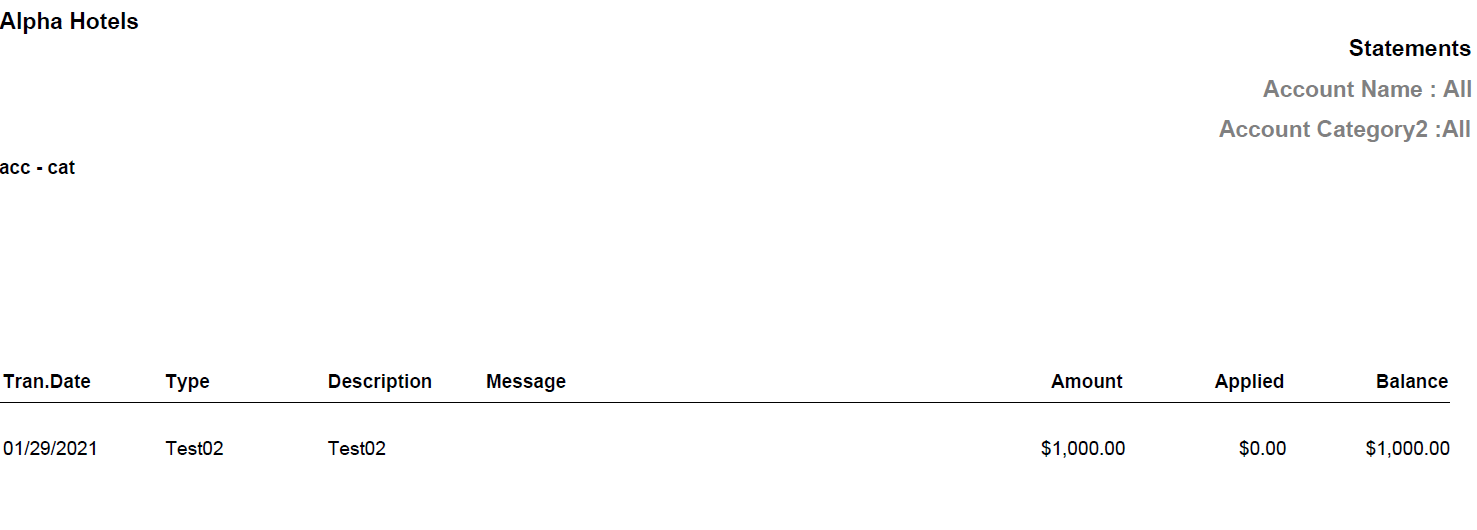
Report Fields
|
Field |
Description |
|---|---|
|
Tran. Date |
The date the transaction was made. |
|
Type |
The type of transaction. |
|
Description |
Description of the transaction. |
|
Message |
The comments entered by the user. |
|
Amount |
The actual amount posted for the transaction. |
|
Applied |
The applied amount on the actual amount for the transaction. |
|
Balance |
The difference of actual amount and applied amount. |